
An e-stamp paper is the electronic way to pay non-judicial stamp duty in India. Instead of buying a physical stamp paper from a licensed vendor, you generate an e-stamp certificate online, pay the duty through the portal, and print the certificate at home. The certificate carries a Unique Identification Number (UIN), and anyone can verify it on the official portal at any time. For rent agreements, affidavits, indemnity bonds and similar documents, this is now the normal route in most states. Getting e-stamp paper online takes a few minutes once you know which state route applies to you.
The official route is the SHCIL e-Stamping portal at https://www.shcilestamp.com. SHCIL, the Stock Holding Corporation of India Limited, is the Central Record Keeping Agency appointed by the Central Government to run e-stamping across India. This guide to e-stamp paper online explains that process through the portal: registration, generation, payment and printing, step by step.
Two things matter before you start, because getting either wrong costs money. First, an e-stamp is state-specific. A stamp bought for one state cannot be used in another state, so you must select the state where the document will be executed before you pay. Second, self-printing is not available in every state. Maharashtra, for example, runs its own system and does not offer SHCIL self-printing at all. This guide covers the state differences first, so you do not pay for a stamp you cannot use.
Table of Contents
E-Stamp Paper Online: What It Is and Who Issues It
Stamp duty is a state subject in India, governed by the Indian Stamp Act, 1899 and the stamp acts of each state. Traditionally, duty was paid by buying a physical stamp paper of the required value from a licensed stamp vendor and typing or printing the document on it. E-stamping replaces that paper with a computer-generated certificate. The duty is paid online, the system generates the certificate with a UIN, and the certificate is printed and attached to the document.
The Stock Holding Corporation of India Limited manages the system as the Central Record Keeping Agency. It runs the e-Stamping portal at https://www.shcilestamp.com, keeps the central record of every certificate issued, and provides the verification service that lets anyone check a certificate by its UIN. SHCIL covers e-stamping in more than 22 states and Union Territories, while a few states run their own integrated portals.
An e-stamp certificate is used for the same documents that physical stamp paper was used for, and with e-stamp paper online the duty is paid through the portal instead of at a vendor counter. The common ones are rent and lease agreements, affidavits, indemnity bonds, sale agreements, general powers of attorney, awards and declarations. The certificate is legally valid when it is generated for the correct state, for the correct document type, with the correct duty paid, and when its UIN verifies on the official portal. A certificate that does not verify should not be relied on, however real it looks on paper.
E-Stamp Paper Online: Which States Allow Self-Printing
With e-stamp paper online, self-printing means you generate the certificate on the portal and print it yourself on plain A4 paper. It is the most convenient route, but it is not offered everywhere. Which route applies depends entirely on the state, so check the state dropdown on the portal before you pay anything.
| Route | Where it applies | What happens |
|---|---|---|
| SHCIL self-printing | Delhi and other SHCIL states where the portal offers the Self Printing option. Delhi is the clearest example: citizen self-printing of non-judicial certificates up to Rs 500, on A4 paper | You generate the certificate, install the print software, and print it at home |
| SHCIL e-stamping with ACC collection | States where the portal issues the certificate but the printout must be collected from an Authorised Collection Centre, usually a bank branch | You pay online and collect the printed certificate from the ACC with your reference number |
| Own state portal | Maharashtra (IGR, GRAS, eSBTR). Kerala, Telangana, West Bengal, Madhya Pradesh and Bihar also run on state receipt systems rather than SHCIL self-printing | Use the state portal, not the SHCIL self-printing option |
If your state is Maharashtra, do not use the SHCIL self-printing route at all. Maharashtra stamp duty is paid through the Government Receipt Accounting System (GRAS) and the certificate issued is an eSBTR, an Electronic Secured Bank Treasury Receipt, through the Inspector General of Registration and Stamps (IGR) Maharashtra. The IGR portal is at https://igrmaharashtra.gov.in, and stamp duty payment runs through GRAS at https://gras.mahakosh.gov.in/igr/frmIndex.php. Verification of a Maharashtra e-stamp is done through the e-Stamp Verification service on the IGR portal, using the certificate number.
For every other state, open the SHCIL portal and look at the state list before you register. The list changes as states join or change their systems, so the portal itself is the current answer, not any guide written earlier.
E-Stamp Paper Online: How to Register on the SHCIL Portal
Registration for e-stamp paper online is free and takes a few minutes. You register once as a citizen user, and the same login works for later certificates.
- Go to the official portal at https://www.shcilestamp.com.
- Click Register.
- Select your user type: Individual, Organisation or CRA.
- Enter your details: name, mobile number, email address and postal address.
- Create a username and a password, and note them down safely.
- Verify the OTP sent to your mobile number, and click the activation link sent to your email address. Your account is created once both are verified.
- Log in with your new username and password.
Keep your Aadhaar or PAN details ready. In some cases the portal asks for DigiLocker based KYC to complete a citizen registration, so having DigiLocker set up on your phone saves a round trip. If registration fails, check that the mobile number and email address are correct and that the OTP has not expired before trying again.
E-Stamp Paper Online: How to Generate the Certificate
Once you are logged in, generating e-stamp paper online is a form fill followed by payment. Read each screen before you click, because the duty and the state cannot be changed after payment.
- Log in and go to e-Stamping, then Generate Certificate.
- Select the Self Printing of e-Stamping Certificate option, where the portal offers it. If your state does not offer it, the portal will show the collection option instead.
- Select the state for which you need the stamp paper. This must be the state where the document will be executed or registered.
- Select the article and document type, for example a general agreement, a rent agreement or an affidavit. In Delhi, a rent agreement uses Article 35 (Lease). If the exact type is not listed, use the Other option and describe the document correctly.
- Fill in the details: a short description of the document, the consideration price where applicable, the first party name, the second party name, and the stamp duty amount.
- Select the mode of payment: net banking, debit or credit card, UPI or NEFT.
- Review every detail on the confirmation screen. Check the spelling of both party names, the state, the document type and the duty amount.
- Enter the verification code, click “I accept all terms and conditions” and click Proceed to Payment. Complete the payment on the gateway.
- Save the acknowledgement and the certificate PDF in your email and on your computer as soon as it is generated. You will need it for printing and for verification later.
The stamp duty amount is the one figure you must get right before paying. Duty depends on the state and on the document type, and there is no single all-India rate. A rent agreement in Delhi and a sale agreement in Uttar Pradesh are different articles with different duty. Check the state stamp act schedule, or the calculator where the portal offers one, and for a high-value document ask a professional to confirm the duty before you pay.
E-Stamp Paper Online: How to Print It at Home
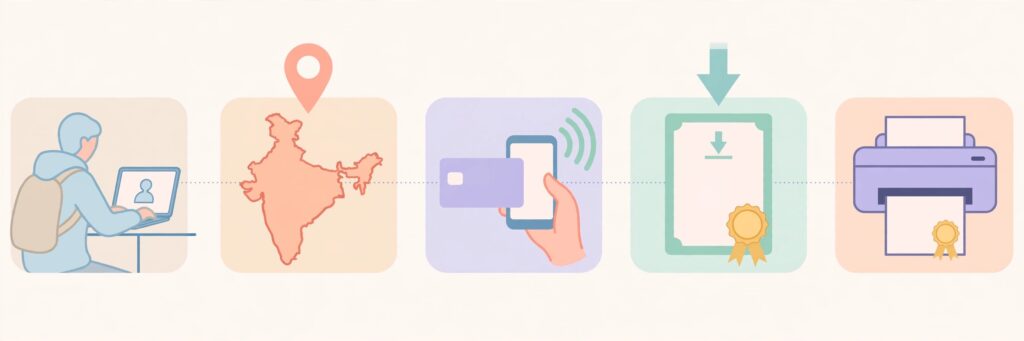
Printing e-stamp paper online is the step most people get wrong, because it needs a small piece of software and the right printer setup.
After payment, the portal offers the Print Control Proxy for download. This is the printing software for the e-stamp certificate, and the print option appears only after it is installed. Download it, install it by running it as an administrator, and follow the installer through to Finish. Do not skip this step: without the proxy installed, the portal will not show the print button.
Once the proxy is installed, the print option appears on the certificate screen. Select your printer and print the certificate on plain A4 size paper. Guides to the portal state that a wired printer, connected by USB or LAN, is required, and that wireless printers are not supported for this print. If your only printer is wireless, use a wired connection or print from a computer that has one.
The certificate is meant to be printed once. Guides to the portal describe a one-time reprint if the first print fails, for example because of a printer error, by accepting an undertaking on the portal after logging in again. Do not print extra copies and treat them as spares. Keep the generated PDF saved permanently, and follow the portal’s on-screen instructions at the time of printing, because the exact labels on the print screens can change.
E-Stamp Paper Online: How to Verify a Certificate
Verifying e-stamp paper online takes a minute and it is the step that protects you from a fake or failed certificate.
For a SHCIL certificate, go to the verification section of the SHCIL portal and enter the Unique Identification Number printed on the certificate. The portal confirms the certificate details, including the state, the parties, the document description and the duty paid. If the details match the document in your hand, the certificate is genuine.
For a Maharashtra certificate, use the e-Stamp Verification service on the IGR Maharashtra portal at https://igrmaharashtra.gov.in and enter the certificate number from the document.
Verify every certificate before you sign the document or rely on it, and verify again if someone hands you a certificate you did not generate yourself. A certificate that does not verify on the official portal should not be used, and the matter should be taken up with the issuing authority.
E-Stamp Paper Online: Stamp Duty, Cost and Common Mistakes
The cost of e-stamp paper online is the stamp duty itself, and it is set by the state for each document type. There is no standard rate to quote, and any guide that gives one flat figure for all of India is wrong. The portal shows the final amount on the payment screen, including any service charge that applies in that state, so check the total before you confirm the payment.
The mistakes below are the ones that cost readers the most. Each is easy to avoid if it is checked before payment rather than after.
| Mistake | Why it matters | What to do instead |
|---|---|---|
| Buying for the wrong state | An e-stamp is state-specific and cannot be used in another state | Select the state where the document will be executed, before you pay |
| Selecting the wrong article or document type | Duty and validity depend on the article the certificate is issued under | Match the article to the document; use Other only when the type is genuinely not listed |
| Paying the wrong duty amount | Short payment can make the document inadmissible as evidence | Check the state schedule or the portal calculator before paying |
| Skipping verification | A fake or failed certificate looks real on paper | Verify the UIN on the official portal before signing |
| Printing without the proxy or on a wireless printer | The print option does not appear, or the print fails | Install the Print Control Proxy first and use a wired printer on A4 paper |
| Not saving the certificate PDF | A reprint is allowed only once and only through the portal process | Save the PDF in your email and on your computer as soon as it is generated |
E-Stamp Paper Online: When You Still Need a Physical Stamp Paper
E-stamp paper online covers most everyday documents, but there are cases where the online route ends at a counter.
If your state does not offer self-printing, you collect the printed certificate from an Authorised Collection Centre after paying online. Carry the reference number the portal gives you, and collect the certificate the same day where possible.
For high-value property transactions, the sub-registrar may expect franking or a particular form of stamping rather than a self-printed certificate. The e-stamp is one step in the transaction; registration of the document itself is a separate step with its own requirements, including biometric verification at the sub-registrar office in states such as Maharashtra.
If you are unsure whether your document qualifies for self-printing, ask the sub-registrar office or a professional before you pay. A certificate bought for the wrong route cannot be refunded once generated, and an e-stamp, once generated, is not eligible for refund.
Sources
- Stock Holding Corporation of India Ltd, e-Stamping portal, https://www.shcilestamp.com (official portal).
- Inspector General of Registration and Stamps, Maharashtra, https://igrmaharashtra.gov.in.
- Government Receipt Accounting System, Maharashtra, https://gras.mahakosh.gov.in/igr/frmIndex.php.
About the Author
This guide is prepared and maintained by Karwa and Associates, Chartered Accountants, a Jaipur based firm established in 1991. The firm serves clients across India and globally in taxation, accounting, audit and business advisory. CA Anshul Karwa is a Partner at the firm. Read more about him at https://karwaandassociates.com/ca-anshul-karwa/.
Disclaimer: This article is general information on e-stamping in India and is not a substitute for advice on your specific document. Verify the stamp duty, article and state portal on the official portal before you pay, because stamp rules and portal processes change.
Karwa and Associates is based in Jaipur and serves clients across India. Phone 0141-2603671-72. Email anshul@karwaandassociates.com. Services: https://karwaandassociates.com/services/.
Found this useful? Add Karwa and Associates as a preferred source on Google to see our latest tax and compliance updates more often:

CA Anshul Karwa is a Chartered Accountant (DISA-qualified) and Partner at Karwa & Associates, Chartered Accountants, Jaipur. A non-commerce student who cleared CA in the first attempt, he worked with Big 4 firms and MNCs before joining the firm. He also builds digital apps, websites and tools for CAs, founders and other professionals, and writes books on investing.